Character-by-character reveal
Letters appear in sequence, so the audience reads the message as it unfolds rather than all at once.
 TypeMotion.Art
Make words appear character by character. Start with the Typewriter preset and edit the text directly below.
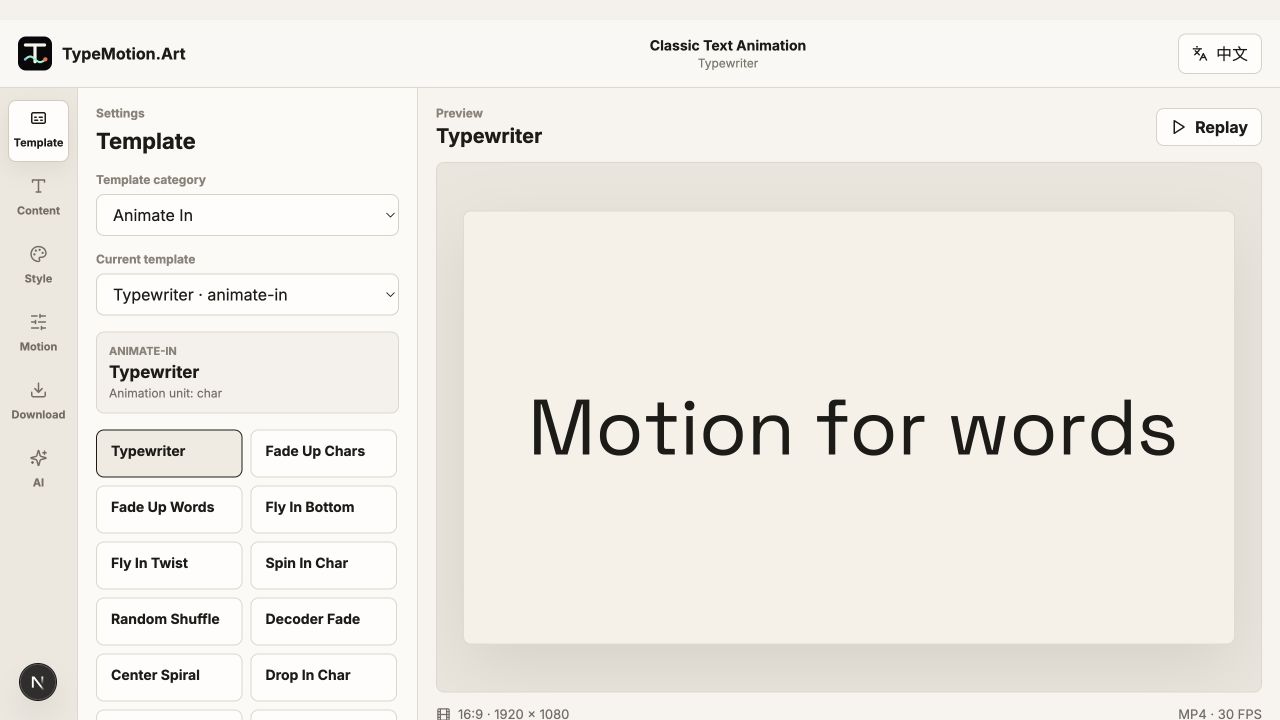
Use a short phrase for a title card, introduction, or message reveal. The text stays editable in this browser workspace until you export it as media.
TypeMotion.ArtA typing reveal gives the viewer a reason to follow each word as it appears. It suits a short opening question, an on-screen message, or a line of narration that needs a deliberate pace.
The editor below starts with Typewriter. Replace the sample line, set the animation speed, then tune font, color, background and frame size. Replay the entire reveal before choosing an export format.
Read the full making guide ↗Start in the editor above and inspect the result as you work.
Use a short phrase for a title card, introduction, or message reveal. The text stays editable in this browser workspace until you export it as media.
Play the whole animation to check legibility, entrance and exit timing, and the frame edges. Switch aspect ratios and review again if you need portrait or square output.
Choose size and format in Download. A Day Pass or subscription is required; check the rendered file in your target editor.
These capabilities are available in the current workspace.
Letters appear in sequence, so the audience reads the message as it unfolds rather than all at once.
Change the font, weight, size, spacing and alignment in the same workspace as the preview.
Use the speed and video-size controls to fit a title card, square post or vertical short.
Choose MP4, WebM, transparent MOV, green-screen MP4, GIF or PNG. Transparent WebM and MOV need a transparent background. MOV is a ProRes clip for Premiere, DaVinci and Final Cut, limited to 1080p and 8 seconds.
Reveal one concise question before a tutorial or explainer begins.
Show a message as if it is being composed, with enough hold time to read the final line.
Use a brief phrase as a calm alternative to a fast, full-frame title reveal.
Each card opens a working template editor.
Print multiple short lines for a tactile, machine-like reveal.
Customize template ↗The workspace exports rendered media, not a Premiere, CapCut or DaVinci Resolve project file.
A standard clip with its background, suitable for a full-frame graphic or non-transparent element on a timeline.
Choose a transparent background for WebM with alpha. Check that your destination editor supports the format and transparency.
A ProRes 4444 file with alpha for Premiere, DaVinci Resolve, and Final Cut. It is a rendered clip, not an editable project. Currently limited to 1080p, 30 FPS, and 8 seconds.
Replaces the canvas background with pure green (#00FF00), then exports an MP4. Use it in CapCut, 剪映 and other editors that key out green. Graphics using that same green are removed too.
GIF suits a short loop; PNG is a still frame. Neither is an editable text project with a timeline.
Answers about the controls and limits of the current product.
Replace the sample text in the Content panel, adjust speed, replay the preview, then open Download to choose size and format.
Yes. The studio includes type, color, background and layout controls. Check the full animation after each major style change.
The current Typewriter preset reveals characters in sequence but has no dedicated cursor-style or blink-rate setting.
You can edit and preview in the browser. Download currently requires a Day Pass or subscription. The export panel offers MP4, transparent WebM, transparent MOV, green-screen MP4, GIF and PNG.
Replace the sample content, review the whole preview, then choose an export format for your edit.
Back to the editor ↗Choose another motion format and keep editing in your browser.