
TypeMotion.Art
Guide · real product workflow

TypeMotion Plugin: Use the Browser Studio

TypeMotion.Art is not a plugin or extension. Open the browser studio, pick a text animation template, and export without installing After Effects.

Open Text Animation Templates: Typewriter, Fade & Blur

Open the studio instead of installing a plugin

Open the template for this walkthrough
  1. 01

    Stay on typemotion.art. There is no plugin file to place in an After Effects folder.

  2. 02

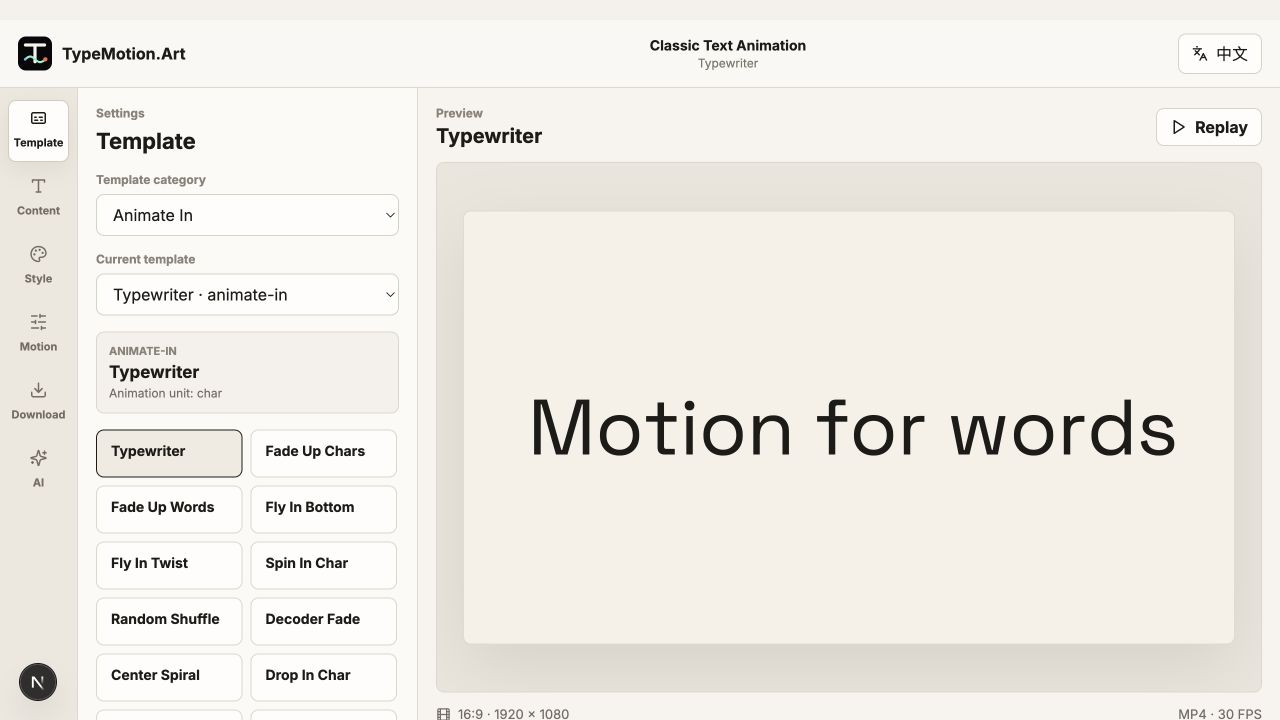
    Open the typewriter template and replace the sample with one sentence.

  3. 03

    Preview the reveal, then export the graphic.

  4. 04

    Import the exported file into your editor if the rest of the video lives somewhere else.

Text Animation workspace reference
Actual product UIEditor workspace referenceWorkspace overview; controls and preview vary with the selected template.
01

There is no plugin to download

Searching for a TypeMotion plugin usually means an After Effects plugin or a browser extension. TypeMotion.Art does not ship either. The templates, preview, and export run on typemotion.art.

02

Do the same job in the studio

For a sentence, open the typewriter text animation. For a kinetic title, open Glide or the stretch text animation. For a name on footage, open the lower third maker. Each of those pages is the tool; you do not add it to another app first.

03

What a plugin would have done

A plugin would have lived inside After Effects and used that timeline. Here you edit the template’s own text, color, and timing, then export a video or image to place in your edit. If the graphic must be generated from layers you already have, stay in that desktop project.

Questions

Is TypeMotion a plugin?

No. TypeMotion.Art is a website. You open a template in the browser, edit it, and export. There is no After Effects plugin and no browser extension to install.

Where do I start if I wanted the plugin?

Open the text animation templates for a sentence, or the kinetic typography templates when the moving type is the whole visual.

Can I use the export inside After Effects or a video editor?

Yes. Export the finished graphic and import that file into your edit. The template itself does not run inside After Effects.

Try it

Templates used in this guide

Each link opens the working SaaS editor rather than a decorative demo card.

Apply the workflow

Related use cases

Keep reading

Related guides